EBOOK

Your Personal AI Travel Concierge

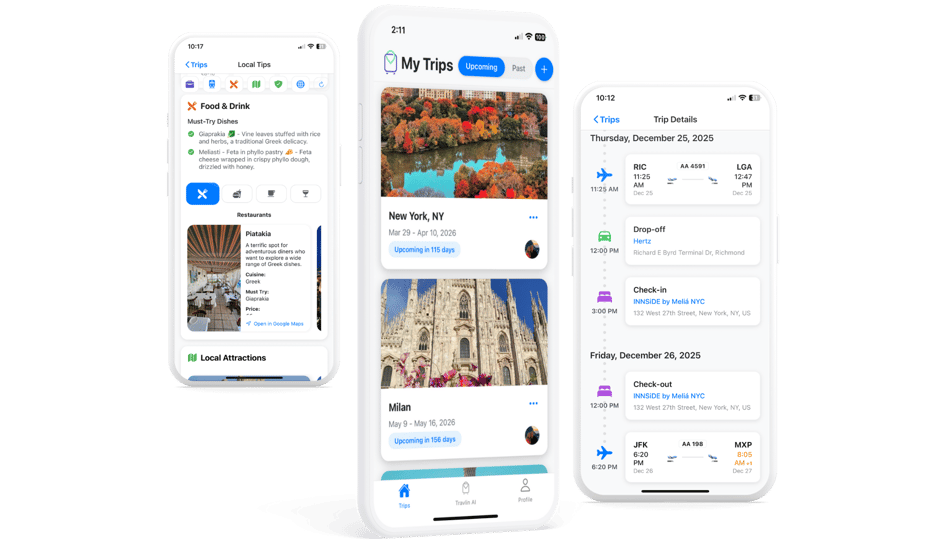
Travlin automatically organizes your travel plans and guides you every step of the way with AI-powered tips, local recommendations, and real-time insights—before and during your trip.

From flights and hotels to food, attractions, safety tips, and transportation, everything you need lives in one beautifully simple app.

🔒 Secure, private, and designed for travelers
travlin landing page - top header- 1
BIG PICTURE

Travel with clarity and confidence

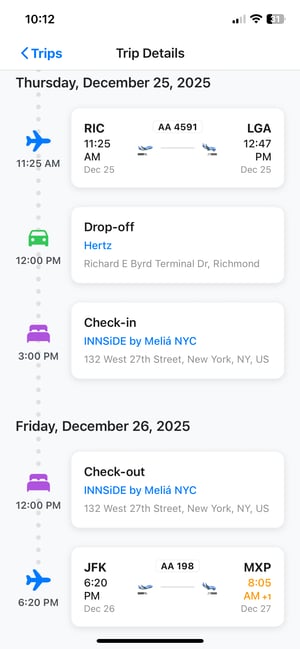
Travlin brings all your trip details together and enriches them with AI-powered insights—so you’re never guessing what’s next or scrambling for information.

From real-time flight updates to personalized local tips, Travlin AI helps you make smarter decisions before and during your trip, all in one place.

IMG_6278
IMG_6292
DETAILS

Personalized guidance for every destination

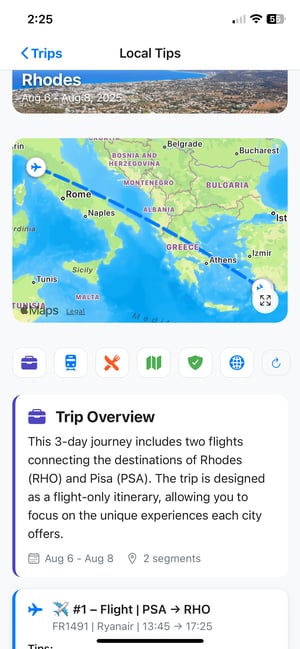
Travlin AI analyzes your itinerary, destination, and timing to deliver tailored recommendations—where to eat, what to see, how to get around, and what to watch out for.

Whether it’s food nearby, local attractions, safety tips, or transportation options, Travlin gives you helpful guidance exactly when it matters most.

LEARN

Learn how Travlin makes travel effortless

EBOOK

A closer look at Travlin AI and smart travel planning

Explore how Travlin automatically organizes your trips and uses AI to deliver personalized recommendations, local insights, and real-time guidance—before and during your journey.

See how we turn scattered bookings into a smarter, more enjoyable travel experience.

FAQ

Need clarification?

How does Travlin create my trips automatically?

Travlin connects to your Google email account and scans your travel confirmation emails (flights, hotels, trains, cars, etc.) and instantly organizes them into a clean chronological itinerary. No manual entry required.

You have the option to connect your email inbox and we use Google’s secure OAuth system which you would first approve to use.  We never store your email login or see/read unrelated email messages.

Do you read all my emails?

No — absolutely not.

We only access travel-related messages, and only the minimum data needed to create your itinerary.

Travlin uses Google’s secure OAuth system and never stores your email login or sees unrelated messages.

Is my data safe?

Yes.

Your trip information is encrypted, protected, and never sold. You can delete your account or remove your data at any time.

We follow strict privacy rules and are compliant with Google’s Restricted Scope requirements.

Can I use Travlin without connecting my email?

Yes!

You can still:

  • Forward booking emails manually

  • Add trips manually

  • Use Travlin AI for basic travel help

Connecting email simply unlocks automation and makes trip creation faster.

What is Travlin AI?

Travlin AI is your personal travel concierge.
It gives you tailored tips, destination insights, airport guidance, dining suggestions, safety notes, packing help, and more — all based on your trip and your personal preferences you describe and chose on your Travlin profile.

What’s included in the free version?

The free plan includes:

  • Unlimited trips

  • Email forwarding

  • Clean timeline view

  • Basic reminders & weather

  • Limited Travlin AI insights

Perfect for casual travelers.

What will Travlin Plus include when it launches?

Travlin Plus unlocks:

  • Unlimited AI concierge

  • Real-time flight alerts

  • Personalized recommendations

  • Calendar sync

  • Priority parsing

  • PDF exports

  • Advanced packing lists

  • Trip sharing

You can keep using the free version until Plus officially launches.

Will Travlin work on my phone?

Travlin will work on iPhone iOS for right now.  

Travlin is built for iOS with a Android and Web version coming soon. 

Can I change or cancel my plan later?

Absolutely.

All subscriptions are flexible — upgrade, downgrade, or cancel anytime with a single tap.

Does Travlin book trips for me?

No — Travlin is vendor-agnostic.

You can continue booking however you prefer. Travlin simply organizes your plans and enhances them with intelligence and AI.

What if a booking email doesn’t display correctly?

No problem — you can edit the trip manually, and our system learns from errors to improve future trip creations.

For rare cases, a “Fix My Trip” option will help clean up anything that looks off.

Can I share my trip with someone?

Yes — trip sharing is available right now in the Free version with Travel Companions, allowing partners, family members, or colleagues to access your itinerary.